
Ladder System
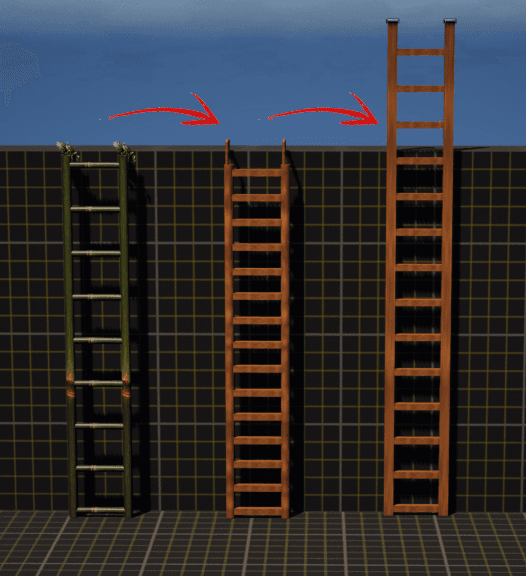
The Ladder System is fully modular and easy to use. You can adjust the height, step spacing, styles, and even add details like screws or end pieces. Everything updates automatically, so you can quickly create ladders that fit any environment without manual setup.
Overview
The Ladder System is fully modular, allowing complete customization of ladder height, spacing, materials, and components.
It is designed to work dynamically in the construction script, giving designers the ability to quickly configure ladders of any type without manual adjustments.
Key Features
- Modular Height Adjustment → Scale ladder to any size.
- Custom Step Gap → Define spacing between rungs.
- End Piece Selection → Choose different styles for the top/bottom.
- Landing Location Customization → Adjust exit points.
- Screw Settings → Toggle screws and set intervals for realism.
- Material & Mesh Switching → Fully controlled via enums.
Editable Parameters
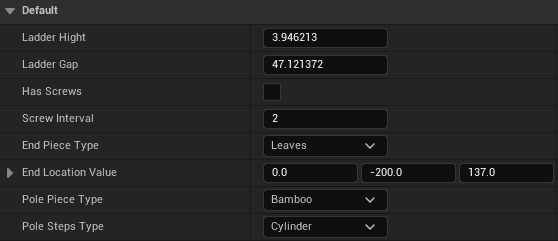
Available under Default (Details Panel):
Ladder Hight→ Overall ladder height.Ladder Gap→ Distance between steps.Has Screws(bool) → Enable/disable screw placement.Screw Interval→ Frequency of screws along ladder.End Piece Type→ Enum (e.g., Leaves, Metal, Wood).End Location Value→ Vector offset for landing location.Pole Piece Type→ Enum (Bamboo, Wood, Metal).Pole Steps Type→ Enum (Cylinder, Square, Custom).
Construction Script Logic
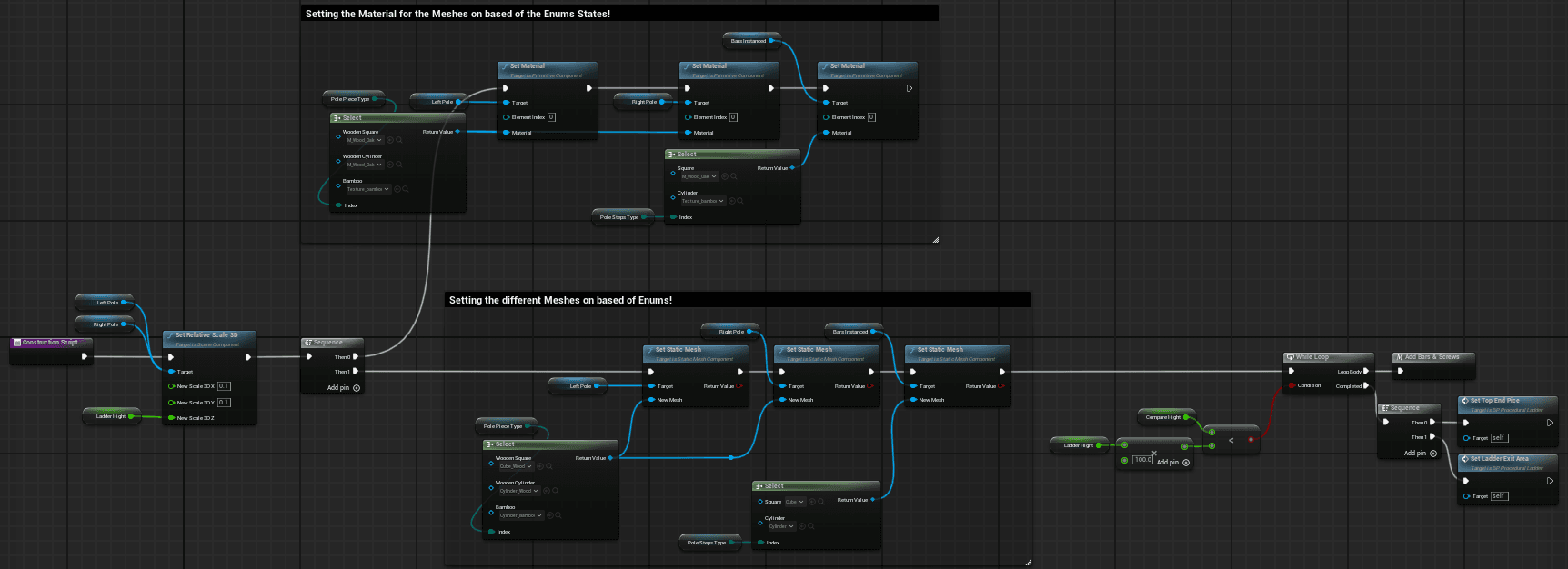
The ladder is generated dynamically using the construction script:
1. Height & Scaling
- Ladder poles scale according to
Ladder Hight. - Step placement is calculated with
Ladder Gap.
2. Material Assignment
- Enum values select appropriate material:
- Pole Piece Type → Applies to vertical poles.
- Pole Steps Type → Applies to ladder rungs.
- Material is assigned at runtime using
Set Material.
3. Mesh Assignment
- Different meshes can be swapped based on enums:
- Square / Cylinder / Bamboo variations.
- Controlled with
Set Static Mesh.
4. Screws & Intervals
- If
Has Screws= true:- A While Loop adds screws at defined intervals (
Screw Interval). - Enhances realism with modular placement.
- A While Loop adds screws at defined intervals (
5. End Pieces & Landing Location
- Top End Piece and Exit Area are dynamically assigned.
- Placement values controlled by
End Piece TypeandEnd Location Value.
Example Usage
- Place the Ladder Blueprint in the level.
- Adjust
Ladder HightandLadder Gapto set proportions. - Choose Pole & Step Type enums for material/mesh variations.
- Toggle Has Screws and set Screw Interval for details.
- Set End Piece Type and adjust End Location Value for landing customization.
The ladder updates instantly in the editor thanks to the construction script.
Notes
- All variables are fully modular and can be extended with more enums (e.g., custom meshes or materials).
- Works both as a decorative element and a climbable gameplay ladder (integration with climbing logic required).
- Designer-friendly: no manual scaling or repositioning needed.
That’s all for the Ladder System....climb safe, don’t look down!😅
Cover System
The Cover System lets your character hide behind objects using traces and Motion Warping.
Sliding System
The Sliding System allows the player character to perform a dynamic slide. It handles capsule resizing, slope continuation, obstacle detection, and smooth recovery using motion warping and custom events.